How it works
Inside a Talent Passport journey.
Here is one example of how a journey unfolds. The destinations, activities and sequence are shaped around your organisation and the people taking part.
- 1
A personal welcome
An invitation explains why the person has been invited, what the journey will help them do and what to expect.
What this looks like for each audience
- Employees
- Welcome to the organisation and the role.
- Customers
- Welcome to the service or offering.
- Partners
- Welcome to the working relationship.
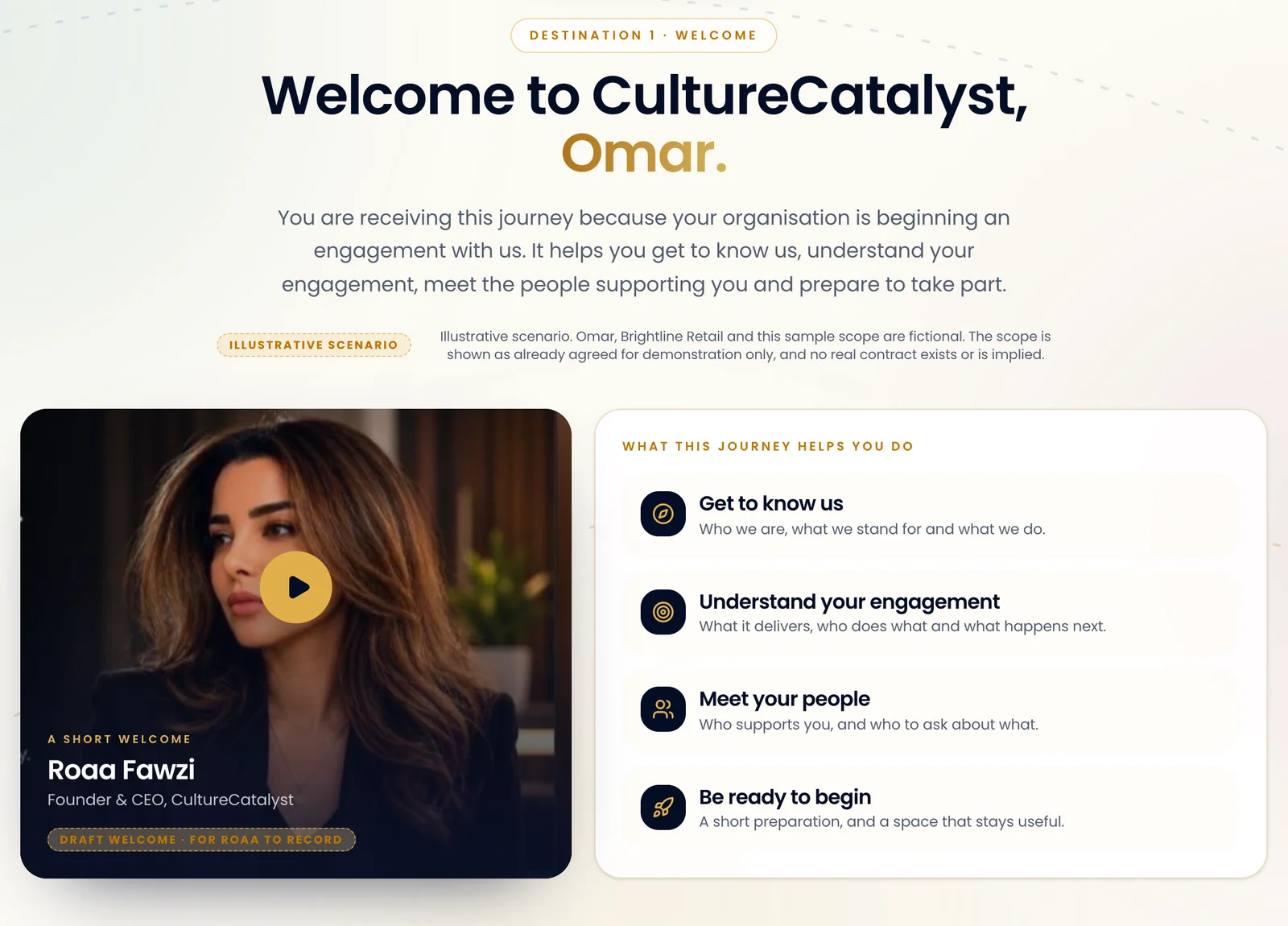
The customer demo: a personal welcome - 2
Understand the organisation and their part
Short destinations explain who you are and how the relationship applies to them.
What this looks like for each audience
- Employees
- Purpose, structure, leaders, role and ways of working.
- Customers
- Who you are, the relevant service and what to expect.
- Partners
- Who you are, the purpose of the relationship and what each side expects.
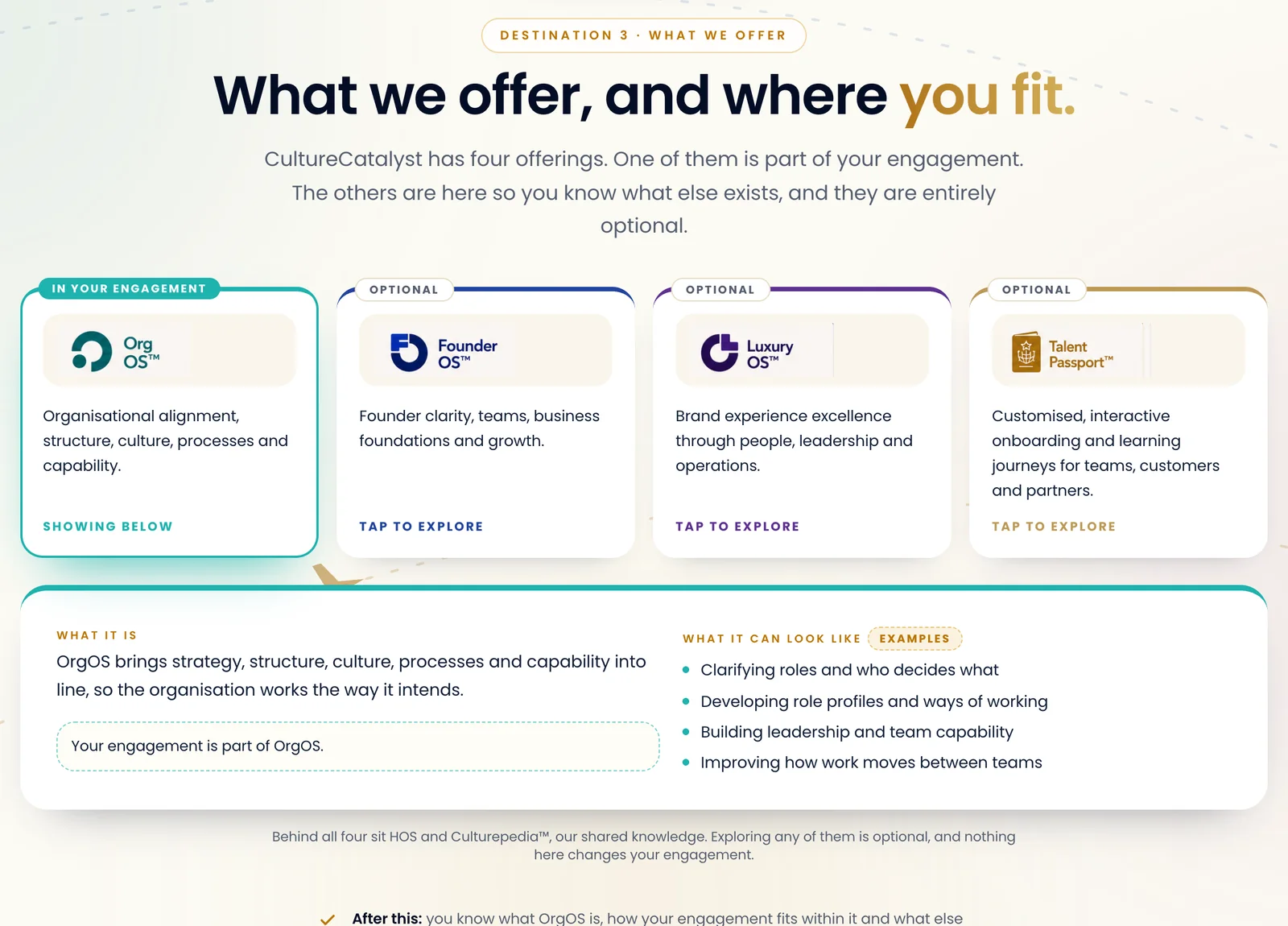
The customer demo: what we offer, and where you fit - 3
Meet the people
They know who to contact and what each person can help with.
What this looks like for each audience
- Employees
- Manager, team, leaders and who to ask.
- Customers
- Engagement lead, support and who helps with what.
- Partners
- Relationship owners and who to ask about what.
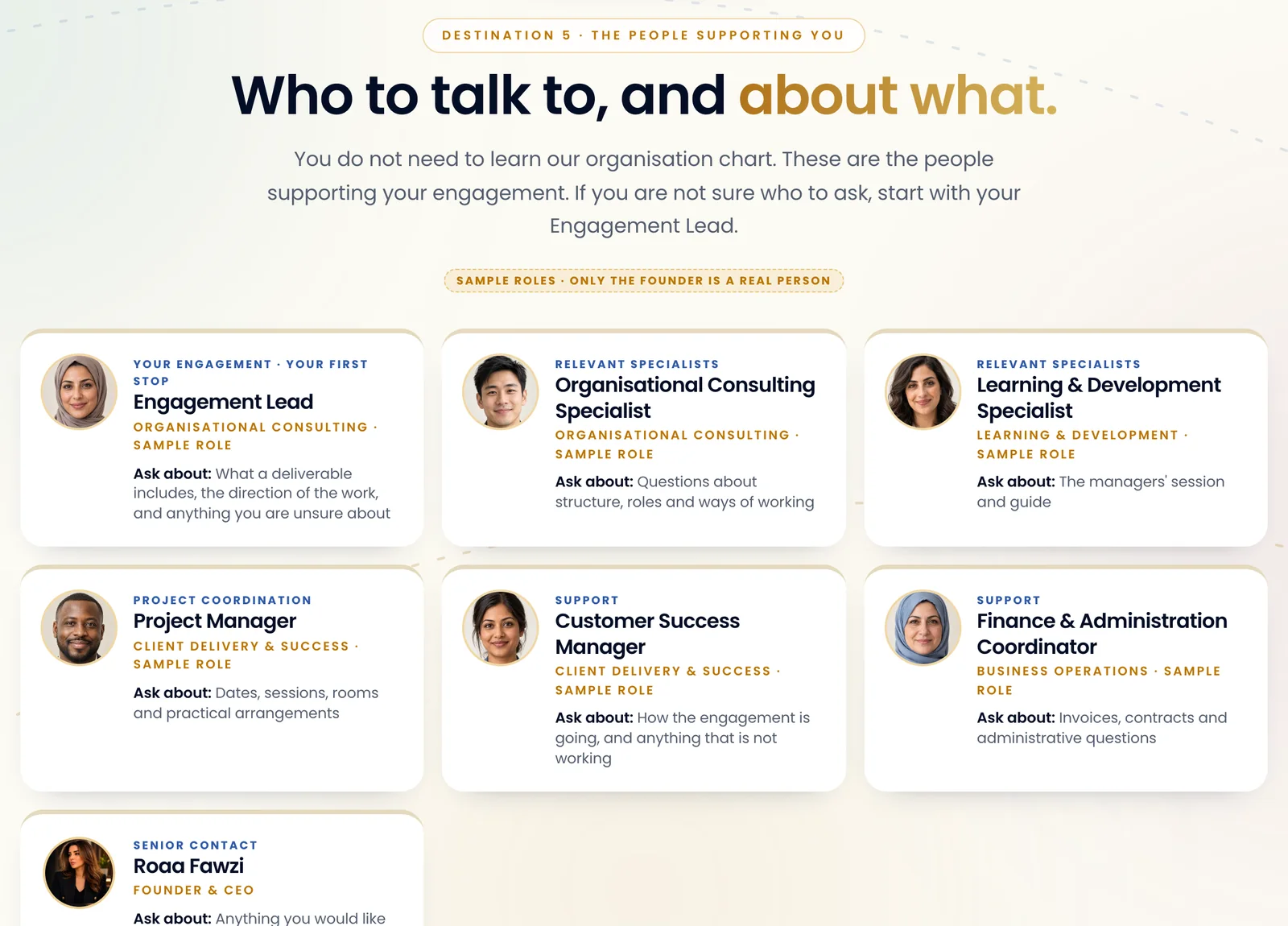
The customer demo: who to talk to, and about what. The people are fictional demo profiles. - 4
Prepare and take part
Short activities help people prepare, ask questions and take a next step.
What this looks like for each audience
- Employees
- First activities and reflections.
- Customers
- Preparation, questions and a first meeting.
- Partners
- Ways of working, any requirements that apply and a shared milestone.
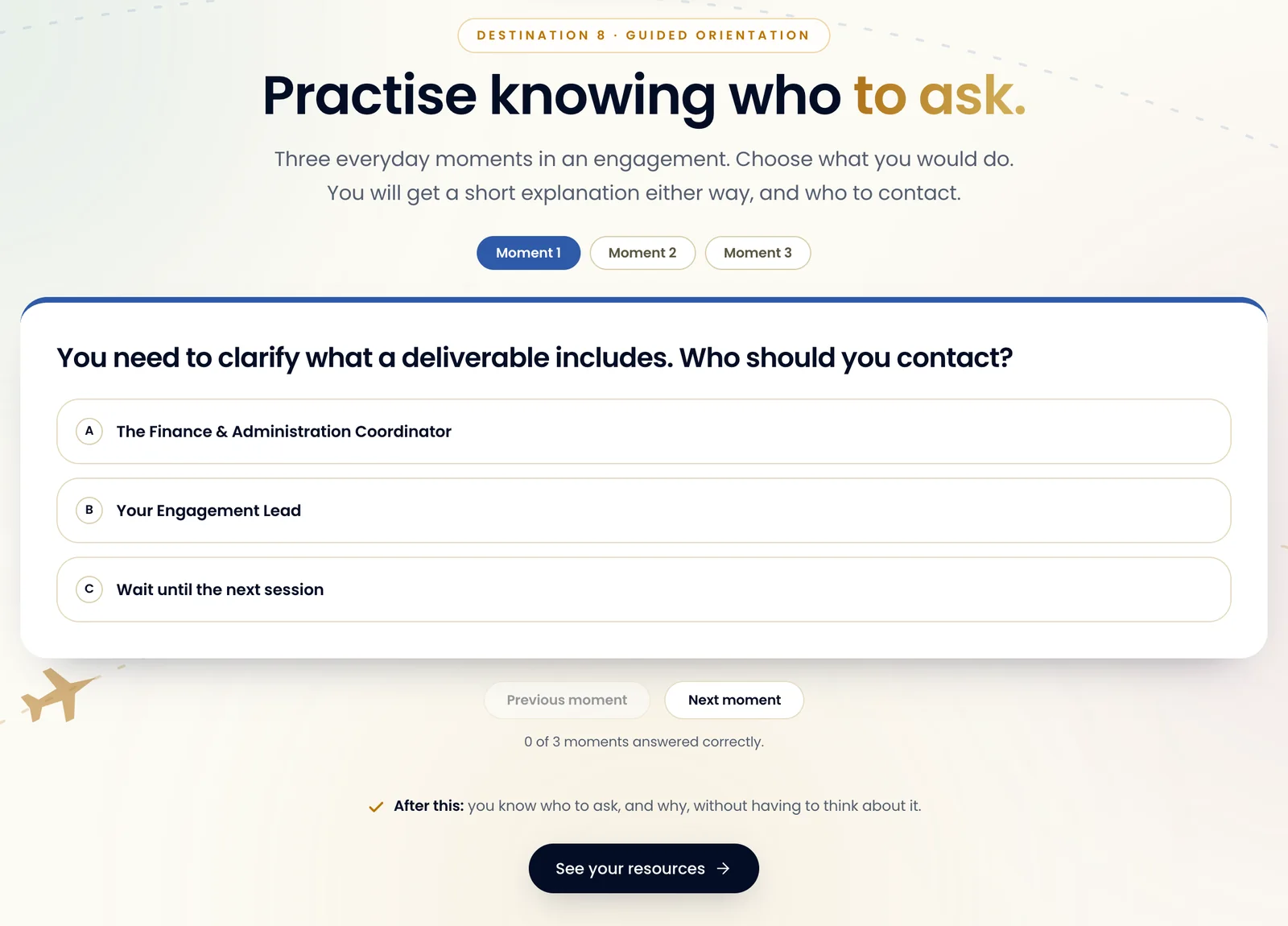
The customer demo: a short activity to take part in - 5
Continue learning and progressing
The journey continues beyond the welcome, with relevant activities, reflections, resources and milestones that help people apply what they learn and take their next step.
What this looks like for each audience
- Employees
- Build understanding of the role, put learning into practice, reflect on early experiences and continue developing.
- Customers
- Resources, updates and support.
- Partners
- Resources, shared actions and updates.
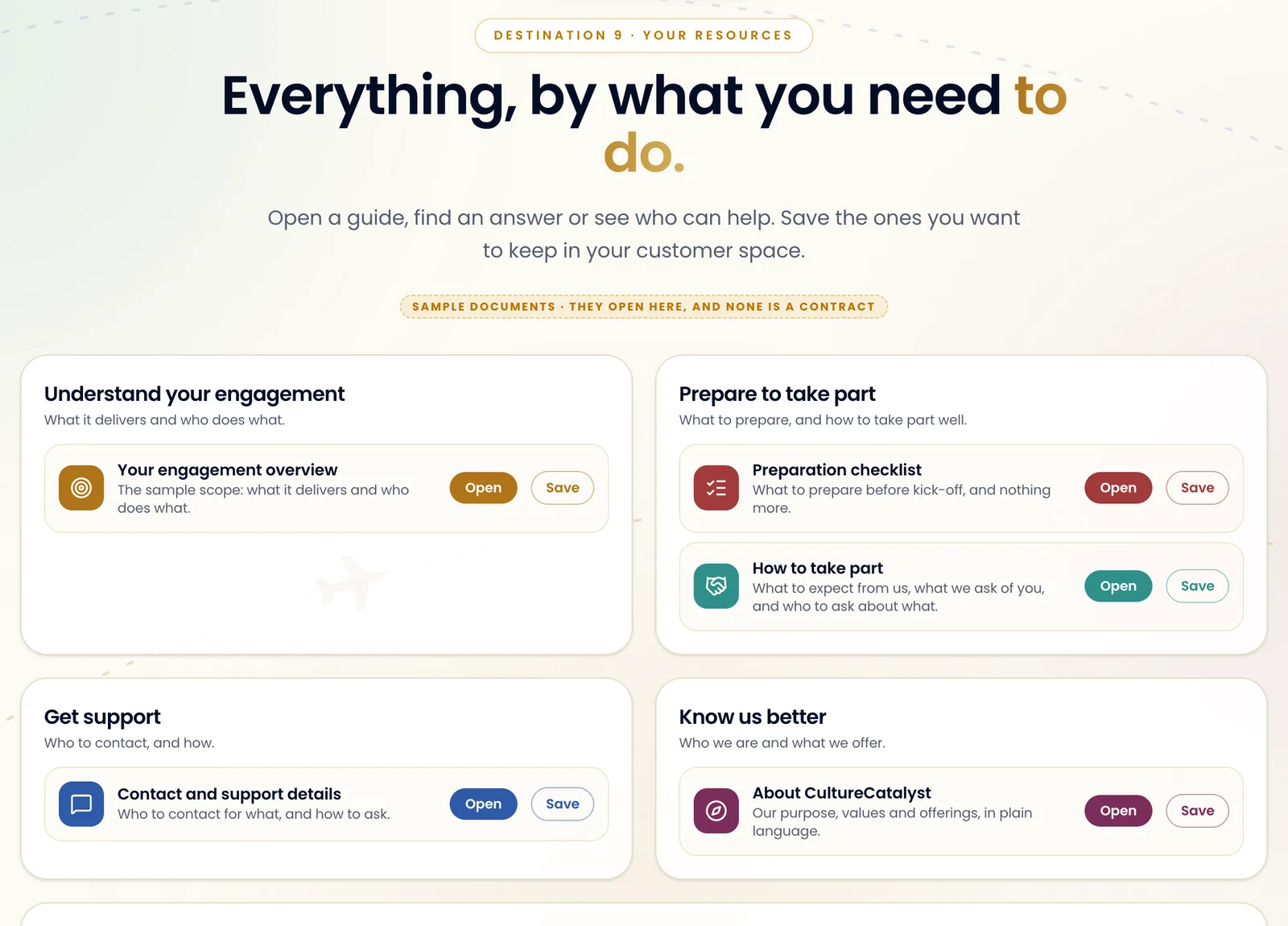
The customer demo: resources, organised by what you need to do
A stamp records that someone completed an activity or reached a milestone. It marks progress. It is not a signature, an approval or an independent assessment.
How the organisation works with CultureCatalyst
Then, how we put it in place with you.
Your organisation works with CultureCatalyst to design and configure its journeys. The people you invite are the ones who experience them.
- You bring your audience, your goals and your content.
- We bring the design, the set-up and the testing.
We agree the timeline, pilot size, content responsibilities, review rounds and support arrangements after understanding your audience and requirements.
- 1
Agree the audience and goals
Who the journey is for, what they should understand or do, and what good looks like.
From you: The audience and what you want them to do
- 2
Design the content and journey
Destinations, activities, requirements and milestones, in your voice and brand.
From you: Your voice, brand and key messages
- 3
Configure and test
Your content, contacts, resources and requirements set up in Talent Passport, then tested with you.
From you: Content, contacts and resources
- 4
Pilot with an agreed group
Try the journey with a first group and gather what they say.
From you: A first group, and their feedback
- 5
Launch and improve
Go live, then refine as your audience and needs change.
From you: Updates as things change
What you can do
Managing your Talent Passport.
Self-service editing for your own team is on the roadmap. Today, CultureCatalyst designs and configures the journeys with you.
Ready today
In the product now
Invite people and track invitations
Add people by name, email and role. Each gets a personal link, and you see where every invitation stands. You can review applications too.
Progress is saved
People sign in and pick up where they left off.
A shareable journey badge
Where a journey offers one, people can share a badge with their name, the journey and the issue date. CultureCatalyst issues it automatically. It isn’t an independent assessment.
A shared workspace
Messages and access for the people you add, shared with CultureCatalyst.
Set up with you
Your brand, content and journey
Requirements only where they fit
Forms, agreements or approvals appear only if the relationship needs them.
What counts as progress
Together we agree which activities earn a stamp.
Reporting beyond the organisation desk
Like progress across a whole audience. It depends on the scope we agree and on technical confirmation.
Not built yet
Editing journeys yourselves
On the roadmap. Today we design and configure them with you.
E-signature
Talent Passport doesn’t collect legally binding signatures. Connecting a signing provider would be separate development.
CRM and learning-system connections
Not built. Any connection would be scoped and developed separately.
Downloading a participant’s record
Not available today.